• AideRSS
• Better GReader
• Feedly
• Google Reader Notifier
• Google Reader Toolkit
• Google Reader Watcher
• gReader Comments
• IntenseDebate in Google Reader
Showing posts with label addons. Show all posts
Showing posts with label addons. Show all posts
Monday, October 6, 2008


Sunday, October 5, 2008
Adding Cisco.com Searches and Tools to Your Browser
http://www.cisco.com/web/tsweb/searchplugins/plugin_homepage.html#
Managing plugins for Firefox 2 and Firefox 3 browsers.
Managing plugins for Internet Explorer 7 browser.
The Plugin Available Indicator
This page shows how easy it is to add Cisco.com tool and search plugins to your Internet Explorer 7 and Firefox 2/Firefox 3 browser.
Just click the links below for the Cisco tools and searches you want to add to your browser.
Tools

Searches
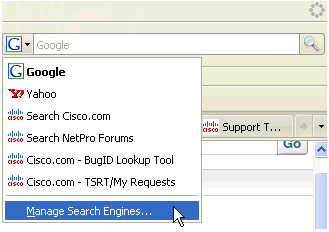
Managing plugins for Firefox 2 and Firefox 3 browsers.
- Open the search pulldown window and select "Manage Search Engines".
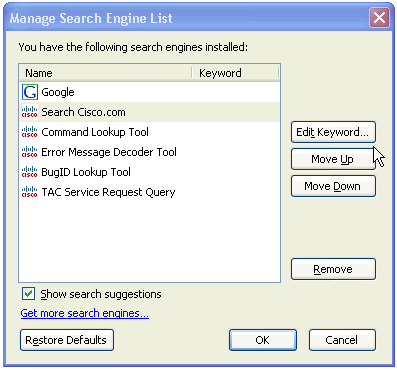
- This panel allows you to reorder search plugins or delete them.
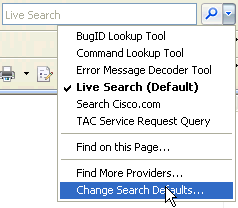
Managing plugins for Internet Explorer 7 browser.
- Open the search pulldown window and select "Change Search Defaults".
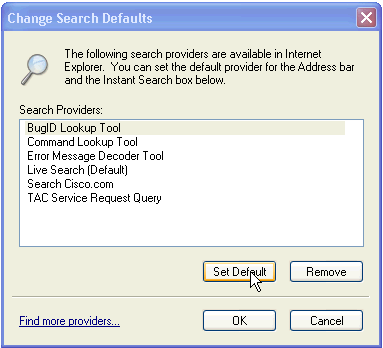
- This panel allows you to remove search plugins from your browser. Note that Internet Explorer 7 doesn't give you any options for setting the order of the search plugins.
The Plugin Available Indicator
When browsing www.cisco.com you may notice the search plugin pulldown change color. This indicates that a browser plugin is available.
| Firefox 2/Firefox 3 | Internet Explorer 7 |
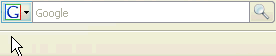 | 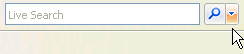 |
| Open the pulldown box and select the plugin to add. | |
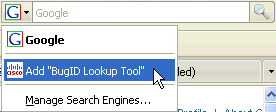 | 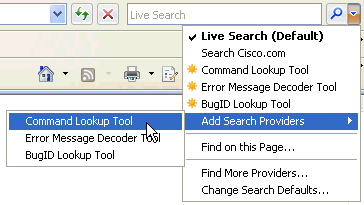 |
Submit feedback about Cisco Search Plugins here.
Subscribe to:
Posts (Atom)
