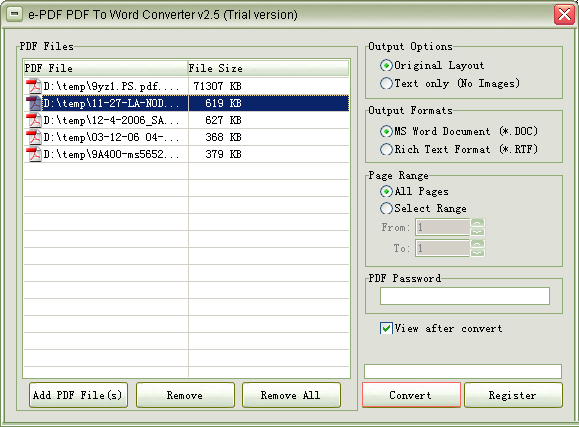
A PDF tool comes in handy when you need to do PDF documents for any of the following:
- Merge, split or reorder pages of a PDF file, rotate or crop PDF pages;
- Add a header, footer or watermark;
- Encrypt or decrypt PDF documents;
- Make annotations in PDF pages;
- Change PDF document properties;
- Convert PDF to text or images, or vice versa;
- Other functions.

 PDFill PDF Tools
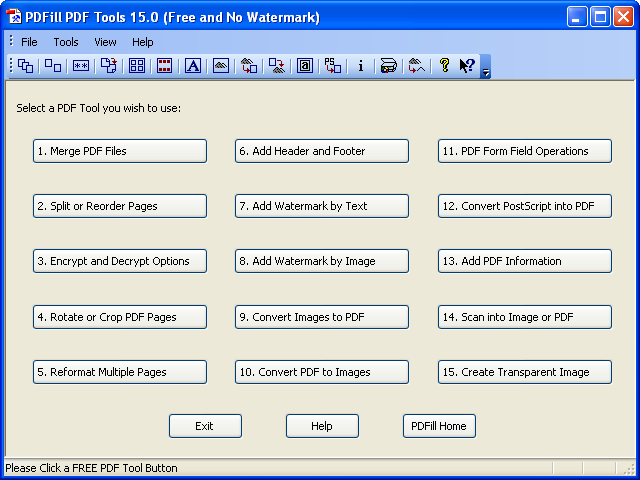
 is my favorite for its clean and nice user interface with most of the functions covered, such as merge, split, reorder or rotate pages, add headers and footers complete with page numbers, etc.
Watermark can be added by typing in any text such as ‘DRAFT’ for documents to be reviewed, or can be added by a background image in PDF format.
Some additional features are supported such as encrypt and decrypt with security options, reformat multiple pages into one page, PDF form field operations, convert PDF to images or vice versa, and convert PostScript file to PDF.
However, converting PDF to text, making annotations or changing document properties, such as title and author, are not supported in this free software. Instead, they are available to some other programs listed in the lower section.
 PDFTK Builder
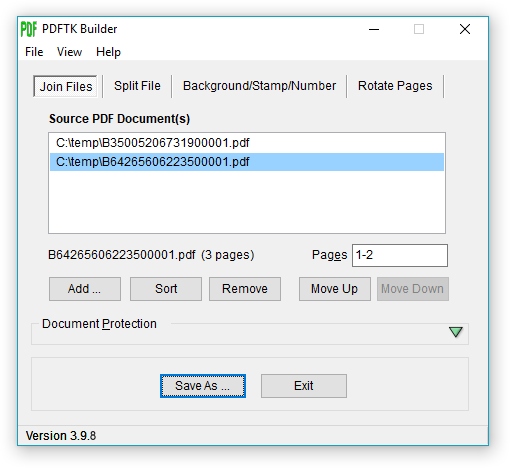
 may be used as an alternative. It can merge or reorder selected pages of PDF files at one go. This is a better idea to have merging and reordering of pages done at the same time.
It also supports split, rotate, background/stamp and encrypt features. Besides these, it has no other additional features.
It also lacks a basic function, as available to PDFill PDF Tools, for adding a background text as a watermark to PDF documents. This function is much needed when we need to mark a PDF document as 'Confidential', 'Draft' or in any other text in the background of the pages.

If you just need more features,
jPDF Tweak will be a good choice but its user interface will not be better than any of the above two applications.
Its merge, split and reorder functions are available under ‘input’ tab with a new filename to be entered under ‘output’ tab.
jPDF Tweak offers rotate, crop, watermark and format multiple pages, change page numbers and chapter bookmarks, and encrypt functions.
It allows adding attachments to PDF documents, setting viewer preference and document properties including title, author, subject and keywords.
Besides the above applications, there are other free programs supporting part of the functions. They are listed below for quick reference.
 To convert PDF to text
, my choice is
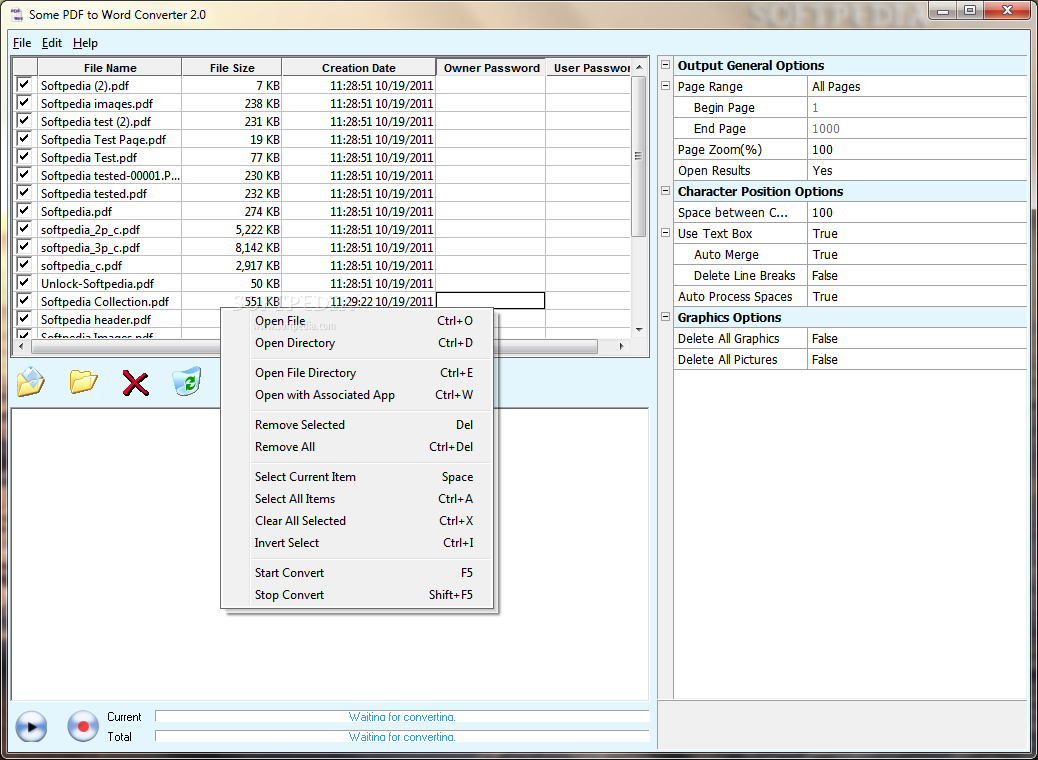
Some PDF to Word Converter, which allows removing line breaks and preserves paragraphs with soft returns. It also keeps images but does not preserve hyperlinks for the version under review.
Online conversion from PDF to text through emails is also available free with
kool Converter, which preserves paragraphs and hyperlinks in converted PDF files.
Sun PDF Import Extension to OpenOffice.org allows PDF documents imported in Draw and Impress to preserve layout and edit small portion of text. PDF import in Writer is to be developed.
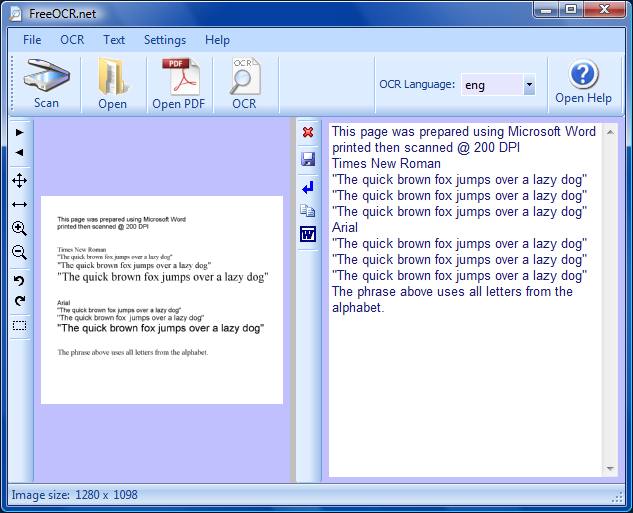 FreeOCR.net
, which is a scan and OCR (Optical Character Recognition) program, is a good choice to extract text from scanned PDF documents.
Alternatively you may install a virtual PDF printer, such as
Bullzip, to create a PDF file by printing text or other contents via the PDF printer. By doing so, hyperlinks and bookmarks are usually not preserved in the resulted PDF file. Refer to the category of
Best Free PDF Writer for selecting a PDF printer.
PDF-XChange Viewer also allows highlighting, crossing or underlining selected text, and filling up PDF forms with a built-in typewriter. It is surprisingly more than a viewer!
To make fillable PDF forms,
PDFescape is available free via online editing. Other features such as whiteout, insert text or basic symbols are included.
To set viewer preference and metadata,
BeCyPDFMetaEdit is a good find. It allows editing metadata about author, title, subject, keywords, producer and creator, customizing viewer preferences, bookmarks, page labels, page transitions for slide shows and encryption of PDF documents.
TweakPDF is another alternative with fewer options.
To compress a PDF file, try
Free PDF Compressor. It allows decompression of a PDF file as well.
To convert PDF versions, use
PDF Version Converter for conversion of a
PDF file between different versions for compatibility purpose.
Author: PlotSoft
Version: 6.0
Date: 10 October 2008
Download File Size: 7 MB
License: free
Operating Systems Supported: Windows 98 to Vista
64 Bit version available: yes
Portable version available: no
Other languages supported: no
Additional Software Required: Free GhostScript
Author: Augus Johnson
Version: 3.5.3
Date: 7 June 2008
Download File Size: 2 MB
License: GNU General Public License
Operating Systems Supported: Windows Version of PDFTK
64 Bit Capable: no
Portable version available: yes
Other languages supported: no
Additional Software Required: no
Author: Schierlm
Version: 0.9
Date: 10 September 2007
Download File Size: 724 KB
License: free
Operating Systems Supported: Windows 95 to XP
64 Bit Capable: no
Portable version available: no
Other languages supported: no
Additional Software Required: Java 5 or higher
Author: SomePDF
Version: 1.5
Date: n/a
Download File Size: 784 KB
License: free
Operating Systems Supported: Windows 2000 to Vista
64 Bit Capable: no
Portable version available: no
Other languages supported: no
Additional Software Required: no
Author: Softi
Version: 2.5
Date: 23 October 2008
Download File Size: 5 MB
License: free
Operating Systems Supported: Windows 2000 to Vista
64 Bit Capable: no
Portable version available: no
Other languages supported: yes
Additional Software Required: no